

Klaviyo API for Developers: A Complete 2026 Guide
TL;DR:
- The Klaviyo API is a JSON:API-compliant interface that provides programmatic access to customer data, events, and marketing automation features. It supports full CRUD operations, automatic data parsing, and stores all historical event data without limits, enabling advanced segmentation. OAuth is the recommended authentication method for scalable integrations, with a mandatory
revisionheader to ensure version consistency.
The Klaviyo API is defined as a JSON:API-compliant interface that gives developers programmatic access to customer profiles, behavioral events, and marketing automation data. If you’re asking what is Klaviyo API and how it fits into your e-commerce stack, the short answer is this: it’s the layer that connects your store’s raw data to Klaviyo’s segmentation and automation engine. You push customer events and profile properties through the API, and Klaviyo turns that data into targeted email flows, campaigns, and retention sequences. Developers can complete their first test call in approximately 10 minutes using Postman collections.
What are the core features and capabilities of the Klaviyo API?
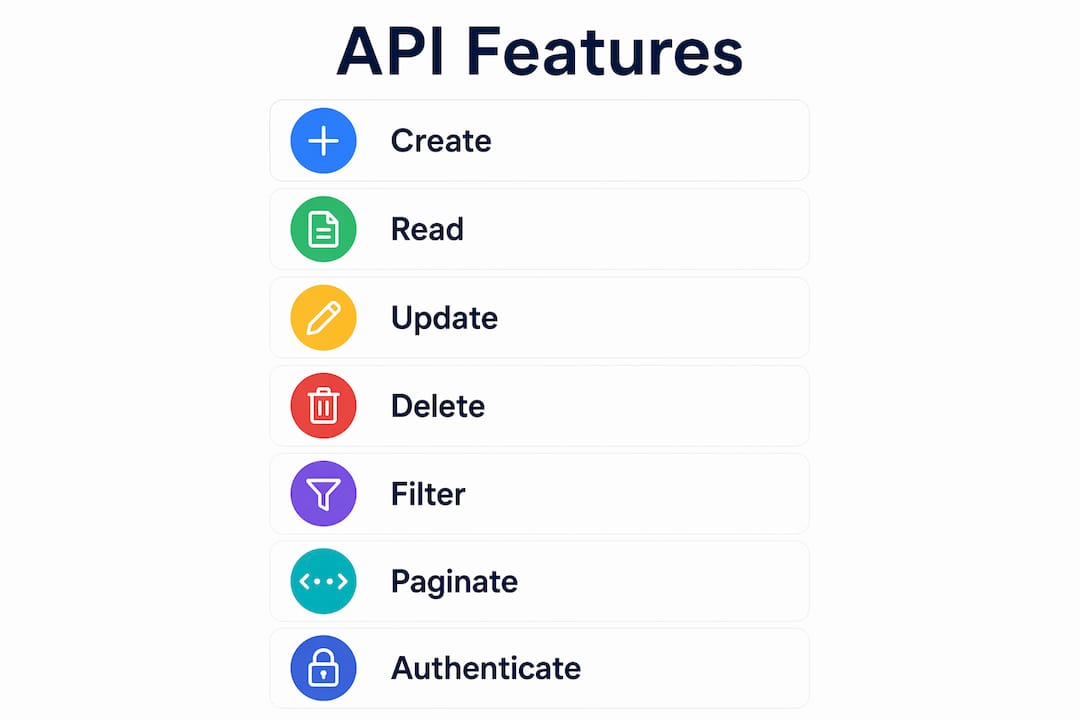
The Klaviyo API supports full CRUD operations, meaning you can create, read, update, and delete customer profile data and behavioral event records programmatically. This gives developers direct control over the data that powers every email flow, segment, and campaign inside Klaviyo. No manual imports. No CSV uploads. Just structured API calls that keep your marketing data current in real time.
The API follows the JSON:API specification, which defines a standard format for request and response bodies. This matters because JSON:API enforces consistent patterns for relationships between resources. The relationships object uses specific JSON:API syntax to enable nested queries, which reduces redundant API calls when you need to fetch a profile and its associated events in a single request.
Data type support is broad. The API handles strings, booleans, dates, and numbers without requiring you to pre-configure schemas. You push raw data, and Klaviyo parses it automatically. That flexibility makes the API practical for e-commerce platforms with varied product catalogs, order structures, and customer attributes.
- Profile management: Create and update customer records with custom properties like loyalty tier, last purchase date, or subscription status.
- Event tracking: Log behavioral events such as “Viewed Product,” “Added to Cart,” or “Completed Order” with full metadata.
- List and segment management: Add or remove profiles from lists programmatically based on purchase behavior or engagement signals.
- Catalog and back-in-stock: Sync product feeds and trigger restock alerts through dedicated catalog endpoints.
Pro Tip: Use the fields parameter in your GET requests to return only the attributes you need. Fetching full profile objects when you only need an email address wastes bandwidth and slows response times.
Klaviyo positions itself as a leading marketing automation tool for e-commerce, and the API’s feature set reflects that. The depth of available endpoints covers nearly every object in the platform, from flows and templates to metrics and campaigns.

How to authenticate and securely connect with the Klaviyo API?
The Klaviyo API supports three authentication methods: Private Key Authentication, OAuth, and Public Key Authentication. Each method serves a different integration context, and choosing the wrong one creates both security and performance problems.
Private Key Authentication works for server-side operations where your code runs in a controlled environment. You include the private API key in the Authorization header of each request. A 400 error response signals an invalid or missing key. This method is straightforward for internal tools and one-off integrations, but it has a ceiling: private keys carry lower rate limits than OAuth tokens.
OAuth is the recommended method for tech partners and any integration that will scale. OAuth offers improved security, better usability, higher rate limits, and is required for any app listed in the Klaviyo App Marketplace. If you plan to build an integration that other merchants will install, OAuth is not optional.
Public Key Authentication handles client-side tracking, typically JavaScript-based event tracking on a storefront. The public key is safe to expose in browser code because it only permits write operations on specific endpoints.
- Use Private Key Authentication for internal scripts, data migrations, and backend jobs.
- Use OAuth for partner integrations, multi-tenant apps, and anything requiring App Marketplace listing.
- Use Public Key Authentication for front-end event tracking on web properties.
- Always store private keys in environment variables, never in source code or version control.
Pro Tip: Switch to OAuth early in your integration build, even if you start with a private key for prototyping. Retrofitting OAuth into a production integration is significantly more work than building it in from the start.
OAuth integrations receive higher rate limits than private key methods. For high-volume e-commerce systems processing thousands of events per hour, that difference is the gap between a stable integration and one that throttles under load.
How does the Klaviyo API handle and store data for e-commerce marketing?
Klaviyo stores data in a highly denormalized format, which means you do not need to pre-configure schemas before pushing data. That design decision has real consequences for how you build integrations.
In a normalized database, you define tables and relationships before inserting records. Klaviyo flips that model. You push raw event data with whatever properties your platform generates, and Klaviyo parses strings, booleans, dates, and numbers automatically. A “Placed Order” event can carry 30 custom properties or 3. Klaviyo stores all of them without complaint.
Here is how data flows through the system once you push it:
- Push raw events and profile properties via the API using your private key or OAuth token.
- Klaviyo parses and stores the data immediately, making it available for segmentation and flow triggers in real time.
- Segments and flows evaluate the new data against their conditions and fire accordingly.
- Historical event data remains accessible with no retention limits, giving you full access to every event ever recorded for a customer.
The no retention limit policy is significant. Most analytics platforms purge event data after 12 or 24 months. Klaviyo keeps all of it. That means you can build segments based on a customer’s first purchase three years ago or trigger a win-back flow based on a product view from 18 months back.
The denormalized approach also supports unlimited data growth. You are not constrained by a fixed schema that requires migration work every time your product catalog or order structure changes. Add a new custom property to your events, push it through the API, and it appears in Klaviyo immediately.
Pro Tip: Use consistent property naming conventions across all your events from day one. Klaviyo treats “OrderTotal” and “order_total” as two different properties. Inconsistent naming fragments your data and breaks segment logic.
What are best practices and common pitfalls when integrating with the Klaviyo API?
The most common source of integration failures is ignoring the revision header. Failing to specify or update the revision header in API calls causes unexpected behavior as older API versions deprecate. The revision header is date-based, and Klaviyo uses it to determine which version of the API your request targets. Treat it as a required field on every call, not an optional one.
The second most common issue is mishandling the relationships object. Mastering the relationships object and JSON:API syntax enables efficient querying of nested related resources, which cuts down on redundant API calls. Developers who skip this and make separate requests for each related resource end up with slower integrations that hit rate limits faster.
Testing discipline separates clean integrations from ones that corrupt live marketing data. Developers should test API calls in a safe environment using test accounts and sample data before deploying production code. A modular development approach using test accounts prevents risks to live marketing data during integration.
- Always include the
revisionheader with the correct date-based version string. - Use Postman collections to test individual endpoints before writing production code.
- Build with OAuth from the start if you anticipate scale or App Marketplace listing.
- Adopt consistent property naming conventions across all event types.
- Paginate large data requests using cursor-based pagination to avoid timeouts.
Pro Tip: Klaviyo’s developer documentation includes a Postman collection you can import directly. Run through the core endpoints in Postman before writing a single line of integration code. It saves hours of debugging later.
For developers building full e-commerce automation, the Klaviyo automation guide covers how to connect store data to Klaviyo for automated campaigns, which complements the raw API work with practical flow strategy.
The Klaviyo API documentation also covers filtering and pagination in detail. Filtering lets you query profiles or events by specific attributes without pulling full datasets. Pagination keeps large responses manageable. Both features are worth learning early because they affect performance at scale.
Key Takeaways
The Klaviyo API is a JSON:API-compliant interface that gives developers full programmatic control over customer profiles, behavioral events, and marketing automation data, with OAuth as the recommended authentication method for any integration built to scale.
| Point | Details |
|---|---|
| JSON:API compliance | The API follows the JSON:API specification, enabling consistent request formats and efficient nested resource queries. |
| Three authentication methods | Private Key, OAuth, and Public Key each serve different contexts; OAuth is required for App Marketplace apps and delivers higher rate limits. |
| No schema pre-configuration | Klaviyo parses strings, booleans, dates, and numbers automatically, so you push raw data without defining schemas first. |
| No data retention limits | All historical event data is stored indefinitely, enabling segments and flows based on any past customer behavior. |
| Revision header is mandatory | Always specify the date-based revision header to avoid unexpected behavior as API versions deprecate. |
What I’ve learned building with the Klaviyo API
After working with Klaviyo integrations across dozens of e-commerce brands, the single biggest mistake I see is treating OAuth as an upgrade for later. Developers start with a private key because it’s faster to set up, ship the integration, and then discover six months later that their event volume is hitting rate limits. Switching to OAuth at that point means refactoring authentication logic across a production system. Build it right the first time.
The denormalized data model is genuinely freeing once you understand it. You stop worrying about schema migrations and start thinking about what data is actually useful for segmentation. The trade-off is discipline around property naming. I’ve seen integrations where “Revenue,” “revenue,” and “order_revenue” all exist as separate properties because three developers pushed events without agreeing on a convention. Klaviyo stores all three. Your segments only use one. The other two are noise.
The revision header issue is subtle but real. Klaviyo versions its API by date, and when a version deprecates, calls without the correct header can return unexpected results or fail silently. I make it a rule to pin the revision header explicitly in every client and review it whenever Klaviyo announces a new API version.
For developers new to the platform, the email marketing fundamentals are worth understanding alongside the technical API work. Knowing how flows and segments actually use the data you’re pushing changes how you design your event schema.
The advanced features, filtering, pagination, and the relationships object, are where the API gets genuinely powerful. Most integrations I review use maybe 20% of what the API can do. Spend time in the documentation on those features. The performance gains are real.
— Take
How Take-action supports Klaviyo API integrations
Take-action is an email marketing and retention agency that specializes in Klaviyo for e-commerce brands. The team works directly with the Klaviyo API to build and audit integrations, set up automated flows, and connect store data to campaigns that drive measurable revenue.
If your team is building a Klaviyo integration or wants to get more from the data you’re already pushing through the API, Take-action offers hands-on support from strategy through technical setup. The agency’s work covers everything from flow architecture to API data audits for brands that want their email channel to perform at its ceiling. Visit Take-action to see how the team approaches Klaviyo integrations for e-commerce growth.
FAQ
What is the Klaviyo API used for?
The Klaviyo API is used to programmatically manage customer profiles, track behavioral events, and connect e-commerce platforms to Klaviyo’s email marketing automation engine. Developers use it to push order data, product events, and custom properties that power flows and segments.
Which authentication method should I use for the Klaviyo API?
Use OAuth for any integration that will scale or requires App Marketplace listing, since it provides higher rate limits and better security than private key authentication. Use Private Key Authentication only for internal scripts or low-volume server-side operations.
Does the Klaviyo API require pre-configured data schemas?
No. Klaviyo stores data in a denormalized format and automatically parses strings, booleans, dates, and numbers without requiring schema setup in the UI. You push raw event data and Klaviyo handles the rest.
What does the revision header do in Klaviyo API calls?
The revision header specifies which date-based version of the API your request targets. Omitting or outdating it can cause unexpected behavior as older API versions deprecate, so treat it as a required field on every call.
How long does Klaviyo store event data accessed through the API?
Klaviyo stores all event data with no retention limits, meaning you have full historical access to every customer event ever recorded. This enables segments and flows based on behavior from any point in a customer’s history.